
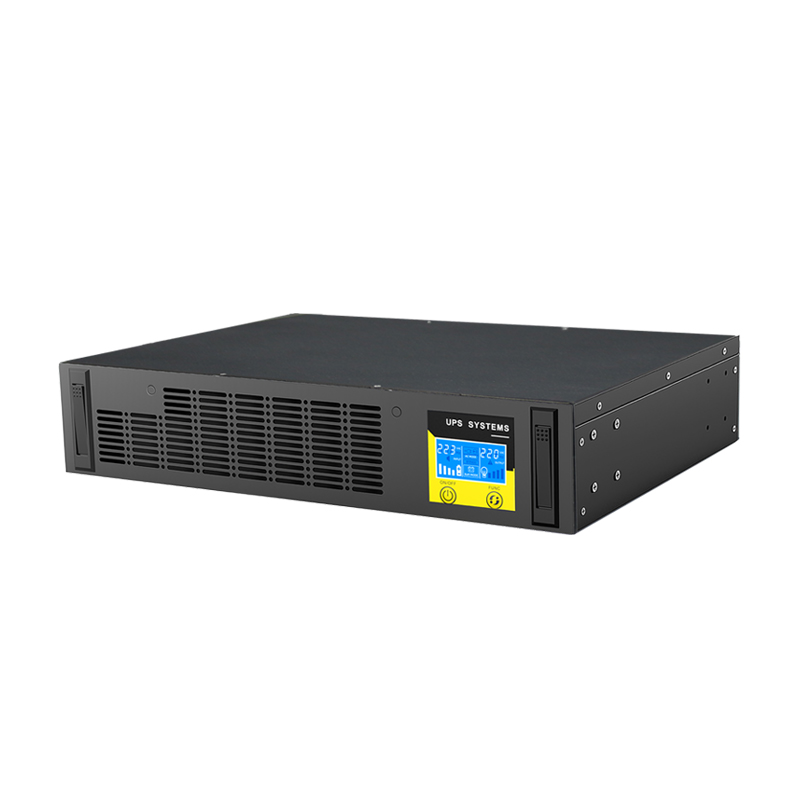
Retrofitting a UPS into a weak-current room
In small rooms that hold CCTV, network and AV equipment, the difficulty is never picking a UPS. It is knowing what is actually connected, where the battery cabinet can physically go, and which distribution board the UPS output must feed. Get those three right and the equipment choice takes ten minutes.
The short answer
Survey the load in three buckets, draw the distribution relationship before ordering anything, and plan the battery cabinet as a separate item with its own floor loading and ventilation. Then follow a fixed wiring sequence and finish with a real mains-fail test. Rooms that fail at handover almost always skipped step one or step six.
Step 1 — Three-bucket load survey
Small rooms are messier than they look. Separate the loads before adding up watts, because each bucket behaves differently:
Security. Cameras, NVR, monitors. Cameras with IR illuminators and PTZ motors draw a start-up surge well above steady state, and PoE switches add their own conversion losses — budget the PoE budget as load, not just the camera nameplate.
Network. Switches, routers, optical transmission, ONTs. Low power, but every watt here is business-critical: losing the switch loses every camera and every desk phone behind it.
AV and control. Amplifiers, displays, conference terminals. Amplifiers are the classic nuisance load: an inrush at power-on that trips a UPS sized on steady-state watts. Add 1.5–2× headroom for the amplifier branch alone.
While surveying, write down which miniature circuit breaker each device is fed from, and which board the UPS will feed. The commonest wasted retrofit is a correctly sized UPS installed at the wrong point, with half the load still on a circuit the UPS does not cover.
Step 2 — Split host and battery cabinet
Once runtime goes beyond about 15 minutes, batteries will not fit inside the UPS. The split arrangement earns its keep three ways:
- Service. Battery replacement opens the cabinet, not the rack — the UPS stays mounted.
- Growth. Extending runtime means adding a module, not replacing the host.
- Heat. Batteries are the component most sensitive to temperature; separating them keeps the UPS exhaust off the cells.
Place the cabinet level and stable, with clearance on all sides for airflow and for a person to kneel and reach the terminals. Keep it away from amplifiers, inverters and radiators, and do not push it into the dead corner behind a rack where nobody will ever inspect it.
Step 3 — Floor loading and ventilation together
A full battery cabinet concentrates significant mass on a small footprint. Office floors are typically designed for 300–500 kg/m² live load, and raised floors are weaker still, especially at panel edges. Before positioning, confirm three things: the slab or raised floor can carry the full cabinet mass, whether a load-spreading plinth is needed, and whether there is room behind and beside the cabinet to work.
Ventilation is the part that gets skipped. A cabinet tight against a wall, or sharing a corner with a heat source, has ventilation slots that do nothing. Given the choice between a longer DC cable run and a cooler position, take the cable.
Step 4 — Wiring sequence
Follow this order and the retrofit will not need rework:
- Position and level the battery cabinet, fix it down.
- Arrange blocks in series order with consistent polarity orientation.
- Cut DC interconnect cables to equal length, sized for the discharge current.
- Torque terminals and insulate exposed metal with heat-shrink or a cover.
- Measure total string voltage and compare with the UPS nameplate DC window.
- Only then connect the string to the UPS battery input.
- Mount the UPS close to the cabinet to keep the DC run short.
- Feed the output into the downstream board so every critical circuit is covered.
- Connect the mains input last, completing both the AC and DC paths.
Step 5 is the one that prevents damage. Connecting a string without checking total voltage produces either a battery-fault alarm or, with reversed polarity, destroyed terminals.
Step 5 — Four checks before energising
- Polarity — string positive to UPS positive, every terminal matched.
- Torque — pull each terminal; a loose joint is the main source of heat and arcing.
- Insulation — no nicked cable, nothing pinched against sheet-metal edges.
- Voltage — measure the string again at the UPS terminals.
These four checks remove most first-power-on alarms from the schedule.
Step 6 — Commissioning and the test that matters
Power up in order: measure the string, energise mains, start the UPS, read input and output voltage on the display, confirm rectifier and inverter status, then set battery parameters — low-DC shutdown, alarm thresholds, charge current limit.
Then do the test that actually proves the installation: open the mains input breaker and watch. The load must transfer to battery without a reboot. Restore mains and confirm the unit returns to normal and begins charging. If anything reboots during transfer, the installation is not finished, whatever the display says.
Handover should cover three things in writing: the start-up and shut-down sequence, how to read the panel alarms, and what the routine inspection checks (battery voltage, terminal temperature, airflow).
Where this approach stops
A split host and cabinet is right for small rooms, branch offices and security cupboards. It solves "the equipment keeps running when mains drops" and "the voltage does not wobble".
It does not solve dual feeds with automatic transfer, generator synchronisation, or per-rack metered distribution. Those need a distribution design, not another UPS. Say so at the survey stage — it is cheaper than discovering it at commissioning.
FAQ
Can one UPS cover CCTV and network together? Yes, and it usually should. Size on the sum plus the camera surge, and keep the network switch on the same output so that recording survives a mains failure.
How long should the runtime be? Long enough to cover the outage pattern and the generator start, or to shut down cleanly. For a security room, 30–60 minutes is typical; for a network cupboard with no generator, an hour is a reasonable minimum.
Do I need a monitoring card in a small room? If the room is unstaffed, yes — a card that reports battery health and mains status saves the site visit that would otherwise be the only way to find a failed battery.
Can the battery cabinet go in the same rack as the UPS? Only with rack-format LiFePO4 packs and a rack rated for the mass. Standard 19-inch racks are not designed for a hundred kilograms of lead-acid.
Product references: ET1-3KR rack UPS with built-in LiFePO4, HC series rack battery, and the cloud monitoring card for unstaffed rooms.