
How to Select a UPS?
Last updated 2026-07-13
Selecting a suitable UPS (Uninterruptible Power Supply) is essentially about making a series of choices based on your specific needs. There is no single “best” UPS—only the one that best fits your situation. This guide will help you clarify your requirements and find the right model, step by step.
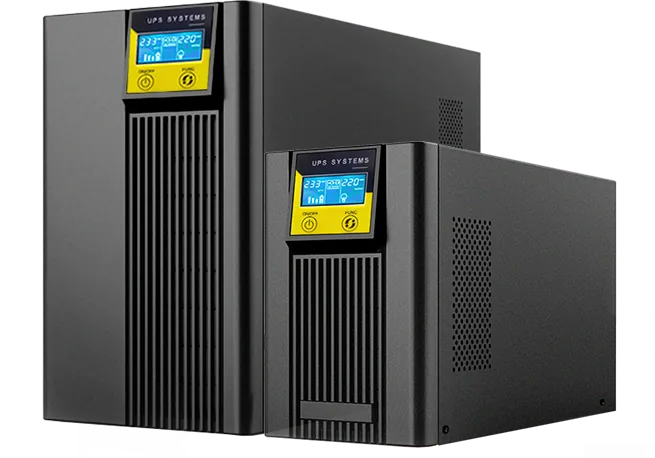
Step 1: Define What You Are Protecting
First, list all the devices that require UPS power protection.
Critical Loads: Computer towers, servers, network switches, storage devices, precision instruments. These must be protected.
Non-Essential Loads: Monitors, printers, general lighting. These can be connected to standard outlets to conserve valuable battery capacity for the critical loads.
Tip: For inductive loads such as motors and air conditioners, their starting surge current can reach 3 to 5 times the rated power. You must account for this “surge power” when calculating total load.
Step 2: Choose the Topology – Your Level of Protection
UPS systems are primarily categorized into three technical architectures, with increasing levels of protection.
Offline (Standby) models work by supplying power directly from the mains when the utility is normal, and switching to battery during outages. The transfer time is typically between 4 and 10 milliseconds. They are low in cost and are best suited for home PCs, routers, and general office equipment, providing basic surge and outage protection.
Line-Interactive models take a step up by incorporating a built-in Automatic Voltage Regulator (AVR) that automatically stabilizes voltage fluctuations. Their transfer time is reduced to approximately 4 milliseconds. They offer good value for money and are ideal for small servers and office environments that demand higher voltage stability.
Online Double-Conversion models provide the highest level of power protection. They continuously convert AC to DC and then back to AC, achieving zero transfer time and delivering pure, stable sine-wave output. This type fully isolates the load from all mains disturbances, making it the top choice for data centers, financial institutions, medical equipment, and industrial production lines.
In a Nutshell: For critical data and high-value equipment, an online model is a must. If your budget is limited and your grid is relatively stable, an offline or line-interactive model will be sufficient.
Step 3: Calculate Power and Capacity
Choosing the right capacity is critical. Too large, and you waste efficiency and money; too small, and the system may overload and shut down, potentially damaging your equipment.
First, calculate the total active power. Check the nameplates of all devices to be protected and sum their active power ratings in watts.
Second, add headroom. It is strongly recommended to add 20% to 30% above the total power to accommodate future expansion and the surge currents that occur when devices start up.
Calculation Formula: Required UPS Capacity (VA) = (Total Load Power in Watts × 1.3) / Power Factor
Example: For a total load of 4800 watts and an online UPS with a power factor of 0.85, the minimum VA capacity is 4800 multiplied by 1.3 divided by 0.85, which equals approximately 7341 VA. Therefore, you should select an 8kVA model.
Step 4: Determine Runtime
How long do you need the UPS to keep your equipment running during an outage?
A runtime of 5 to 15 minutes is enough to ride through brief power sags or give you sufficient time to safely save your files and shut down systems properly.
If you require 30 minutes or more, this is typically necessary for scenarios where you need to maintain continuous production or wait for a standby generator to start.
For even longer runtime requirements, you will usually need to connect additional external battery cabinets to expand the battery capacity.